AppleTV Wireless Keyboard: iPhone Remote
by Daniel Menjívar • #appleDid you know?
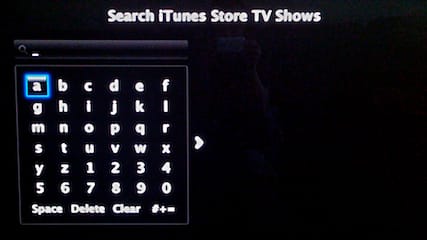
A short while back, I discovered that I could use the Apple Remote App on my iPhone to type on AppleTV!
The way I came across it is kind of funny. Michelle was watching her Spanish soap operas on AppleTV (off YouTube) and I decided to mess with her mind and pause the show, turn down the volume, etc. from downstairs using the Remote app. It was funny to hear her get frustrated and complain about YouTube not working – and that’s when I discovered that you can also use the app to enter search text on AppleTV. My prank was over when I typed "Daniel rocks and Michelle is a geek" in a YouTube search prompt and it displayed on the TV screen upstairs… hahaha
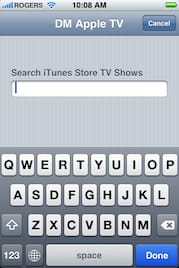
So, if you enter any screen on AppleTV that requires typing (searching YouTube, movies, TV shows, etc.), the iPhone screen changes to allow you to enter text – nice! Here’s the best part – it even works when you want to enter an iTunes account username and password. So, if you live in Canada like me and also have an US account that you switch back and forth from, this not only makes it easier to enter your information, but now by not having to use the on-screen (TV) keyboard, no one else has to see you type in your credentials on the big TV screen! Thanks Apple! Very nice indeed.